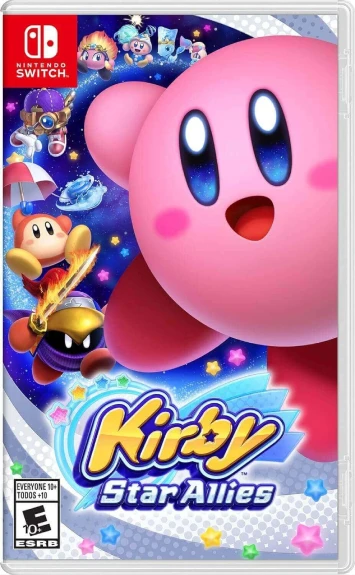
Kirby Star Allies cover art for Nintendo Switch
Nintendo Switch WorldWide · Multilanguage 3.10 GB

Kirby Star Allies

37 Feb 17, 2026

About Kirby Star Allies

Team up with friends! Download Kirby Star Allies NSP/XCI for Nintendo Switch at GigaROM and join Kirby in a colorful platforming adventure to save Dream Land. The game features an innovative friend heart mechanic, allowing you to turn enemies into allies and form teams of up to four characters with unique abilities. Combine powers to create special attacks and solve cooperative puzzles in vibrant worlds designed to be enjoyed solo or with up to three friends in local multiplayer. It’s a relaxing, fun, and visually stunning experience!

Game Features:

  • Up to 4-Player Co-op: Share the adventure with friends using Joy-Con controllers.

  • Friendship Mechanic: Recruit enemies and create teams with combined abilities.

  • Copy Abilities: Enjoy classic Kirby abilities and brand-new additions.

  • Vibrant Graphics: A dreamy world with intense colors and detailed animations.

Download and Emulation Info: Get your high-quality Kirby Star Allies Nintendo Switch ROM here at GigaROM. Fully supported by Yuzu, Ryujinx, and the Eden emulator, ensuring a crisp and smooth experience on both desktop and mobile platforms.

Requirements to play

PC (approximate)
According to Eden's official documentation: minimum CPU Intel Core i5-4430 or AMD Ryzen 3 1200 (recommended Core i5-11400 or Ryzen 5 3600); minimum graphics card GeForce GTX 1050 4 GB or Radeon RX 550 4 GB; 8 GB of RAM (16 GB recommended); Vulkan 1.1 or OpenGL 4.6. Reserve at least 3.10 GB of free space for the file, plus the shader cache.
Android (approximate)
According to Eden's official documentation: minimum SoC Snapdragon 865, Tensor G1, Exynos 2200 or Dimensity 8200 (recommended Snapdragon 8 Gen 1 or higher); GPU with Vulkan 1.1 support (Adreno 650 or Mali G78 at minimum); 8 GB of RAM (12 GB recommended). Free space: 3.10 GB plus cache.

How to install and play Kirby Star Allies

  1. Download Kirby Star Allies (3.10 GB) from this page and save it in its own folder on your disk or phone.
  2. Install a Switch emulator (Eden, Yuzu or Ryujinx on PC; Eden or Yuzu on Android) and import your prod.keys and your console's firmware from the tools menu. Use keys and firmware of the same version.
  3. Add the folder where you saved the game to the emulator's list and check that Kirby Star Allies appears in it.
  4. Kirby Star Allies allows up to four people to play at once in co-op. When you throw a heart at an enemy, it joins Kirby as an ally.
  5. Connect one controller per player before starting to play co-op. Allies controlled by the game can be replaced by other people at any time.

Frequently asked questions about Kirby Star Allies

How many people can play at once?

Up to four in local co-op, each with a controller.

How do you get allies?

By throwing a heart at an enemy, which joins Kirby for the stage.

How big is the file?

It is 3.10 GB; leave that much free space plus the emulator cache.

Published by

Developer and author at GigaROM

Soul_King. Developer and retro enthusiast. I write GigaROM's guides on emulators and classic games.

Information

Full Name Kirby Star Allies
File Size 3.10 GB
Console Nintendo Switch
Region WorldWide (Multilanguage)
Downloads 37
Published Feb 17, 2026
Published by Soul_King Soul_King

Nintendo Switch emulator to play Kirby Star Allies

You need to download a Nintendo Switch Emulator to play this ROM locally

Related Nintendo Switch games

Velocity Noodle

Velocity Noodle

142.23 MB
The Legend of Zelda: Skyward Sword HD

The Legend of Zelda: Skyward Sword HD

46 · 7.60 GB
Persona 4 Arena Ultimax

Persona 4 Arena Ultimax

9 · 15.54 GB
Super Mario RPG

Super Mario RPG

9 · 6.87 GB
WarioWare: Get It Together!

WarioWare: Get It Together!

7 · 1.41 GB
Pokémon Shield

Pokémon Shield

7 · 10.24 GB
Xenoblade Chronicles 3

Xenoblade Chronicles 3

7 · 14.81 GB
Undertale

Undertale

6 · 181.03 MB
See more: Platform