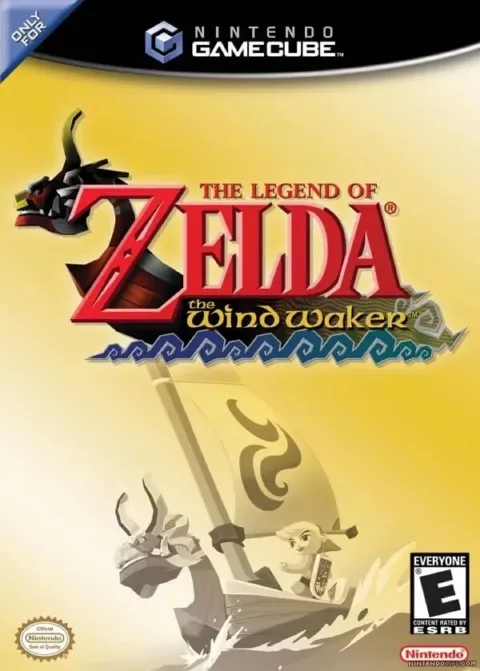
The Legend of Zelda: The Wind Waker PC and Mobile Port (BlueWake)
Static recompilation of The Wind Waker (GameCube) with touch controls, controller support and mods. Ready-made build for Windows; other platforms must be built. You need your US disc.
What it is
BlueWake is a static recompilation of the GameCube The Legend of Zelda: The Wind Waker that runs natively on Windows, Mac, Linux, iPhone, iPad and, experimentally, Android, with touch controls, controller support and mods. The project carries the work of Wind Waker Recomp, which moved to this repository.
The repository contains no disc image or game assets. On Mac, iPhone, iPad, Linux and Android, the app you build contains code translated from your disc and is for you alone: it must not be shared or uploaded.
What you need
- Windows 10 or 11 with an AVX2 CPU (Intel Haswell from 2013, AMD Ryzen or newer) and a Direct3D 12 GPU; since 0.8.0, an older GPU uses Direct3D 11.
- iPhone or iPad: the app must be built on an Apple Silicon Mac; an A13 chip or newer is required.
- Mac (Apple Silicon) and Linux (x86-64): build it yourself; there is no ready-made Linux download.
- Android (arm64): build it yourself on a Windows PC, experimental.
How to install and run it
- Prepare your US disc image (.iso or .gcm). A Dolphin .rvz image must be converted to ISO first.
- On Windows, download the zip from the releases page (the "Go to the official project" button), extract all of it and run
BlueWake.exe; on first launch pick your image. - On the other platforms, follow the repository's build guides with your disc.
Current limitations
- Only the US disc, revision 0, is supported.
- Only Windows has a ready-made build; the rest are built by hand and several platforms are experimental.
- Changing areas can briefly stall and some objects take a moment to appear.
Port or emulator?
If your computer does not meet the requirements, you do not have the exact version the port asks for, or you prefer the classic route, you can play the original with a GameCube emulator: see emulators and its install and setup guide.
Other ports

Dragon Ball Z: Budokai Tenkaichi 3 PC Port (native)
Native, playable port of Budokai Tenkaichi 3 (PS2, USA version) for Windows and Linux. It is not an emulator and you need your own original copy of th...

Jak and Daxter PC Port (OpenGOAL, native trilogy port)
OpenGOAL brings the PS2 Jak and Daxter trilogy to PC (Windows, Linux and macOS). Jak 1 is complete, Jak 2 is in beta and Jak 3 is in progress. You nee...

The Legend of Zelda: Twilight Princess PC Port (Dusklight)
Native reimplementation of Twilight Princess for PC and mobile, with higher resolution and frame rates, quality-of-life options and a mod system. You...