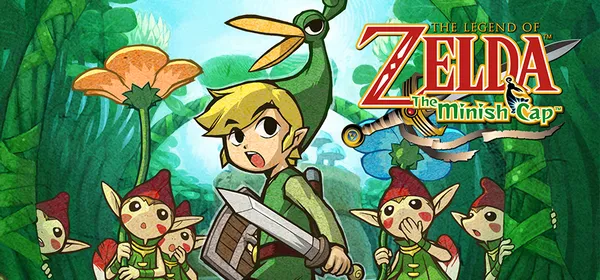
Zelda: The Minish Cap on PC: Project Picori
A native PC port of The Legend of Zelda: The Minish Cap (GBA, 2004) with SDL3 and a software PPU renderer. It is multi-region (US, Europe and Japan) and needs your own ROM. Still in development.
What it is
Project Picori is a native PC port of The Legend of Zelda: The Minish Cap (GBA, 2004), built on SDL3, a vendored software PPU renderer and the agbplay audio engine. It targets x86-64 Linux, Windows and macOS (Apple Silicon and Intel), and there is an Android build too. Current release builds are multi-region: the same binary validates the ROM by SHA-1 and selects USA, EU or JP data at runtime.
A copy of the original game is required: the repository ships no ROMs. On first launch it extracts the runtime asset cache (about 3–5 seconds) and later launches are instant; saves are written to a .sav file compatible with mGBA and VBA-M. The project itself warns that it is a work in progress and that many rendering and gameplay paths are still rough. GigaROM hosts neither the port nor any ROM; the download comes from the official page.
What you need
- Windows, Linux, macOS (Apple Silicon or Intel) or Android.
- Your own Minish Cap ROM (US, Europe or Japan), named baserom.gba, baserom_eu.gba or baserom_jp.gba.
How to install and run it
- Download the package for your platform from the releases page (“Go to official project” button) and unpack it.
- Place your ROM next to the binary.
- Run tmc_pc; the first launch extracts the assets.
Current limitations
- It is a work in progress: many rendering and gameplay paths are still rough.
- It needs your own ROM, checked by SHA-1.
- The repository’s license is not a standard one: check the license file.
Port or emulator?
If your computer does not meet the requirements, you do not have the exact version the port asks for, or you prefer the classic route, you can play the original with a console emulator: see emulators and its install and setup guide.
Other ports

Dragon Ball Z: Budokai Tenkaichi 3 PC Port (native)
Native, playable port of Budokai Tenkaichi 3 (PS2, USA version) for Windows and Linux. It is not an emulator and you need your own original copy of th...

Jak and Daxter PC Port (OpenGOAL, native trilogy port)
OpenGOAL brings the PS2 Jak and Daxter trilogy to PC (Windows, Linux and macOS). Jak 1 is complete, Jak 2 is in beta and Jak 3 is in progress. You nee...

The Legend of Zelda: Twilight Princess PC Port (Dusklight)
Native reimplementation of Twilight Princess for PC and mobile, with higher resolution and frame rates, quality-of-life options and a mod system. You...