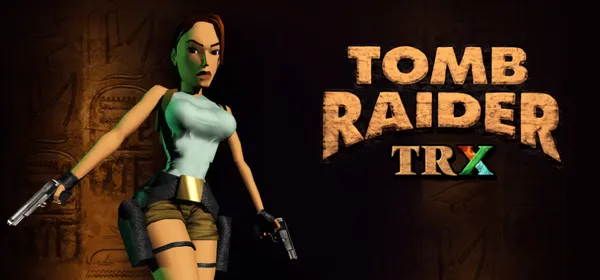
Tomb Raider I, II and III on PC: TRX Community Edition
An open-source reimplementation of Tomb Raider 1, 2 and 3 in a single engine, with photo mode, sprint, 3D pickups, skybox, a developer console and custom levels.
What it is
TRX – Tomb Raider I-III: Community Edition is an open-source reimplementation of Tomb Raider 1, 2 and 3. It aims to enhance these classics through decompilation and open-source alternatives to proprietary components. It is a single engine capable of running TR1, TR2, TR3 and custom levels while respecting the mechanics of each classic engine.
Features include restored braid in TR1, enemy health bars and UI scaling, photo mode, 3D pickups, skybox support, an updated moveset including sprint, customizable draw distance, a developer console, detailed level stats and the PS1 UI with expanded options. You need the files from your copy of the original games. GigaROM hosts neither the engine nor the games; the download comes from the official page.
What you need
- Windows, Linux or macOS.
- The files from your original copy of Tomb Raider I, II or III.
How to install and run it
- Download the latest release from the official page (“Go to official project” button).
- Follow the project’s installation instructions and point it to the folder with your original copy of the game you want to play.
- Open TRX and choose TR1, TR2, TR3 or a custom level.
Current limitations
- It needs the original games’ files.
- The listed version is a development snapshot: expect changes between releases.
Port or emulator?
If your computer does not meet the requirements, you do not have the exact version the port asks for, or you prefer the classic route, you can play the original with a console emulator: see emulators and its install and setup guide.
Other ports

Dragon Ball Z: Budokai Tenkaichi 3 PC Port (native)
Native, playable port of Budokai Tenkaichi 3 (PS2, USA version) for Windows and Linux. It is not an emulator and you need your own original copy of th...

Jak and Daxter PC Port (OpenGOAL, native trilogy port)
OpenGOAL brings the PS2 Jak and Daxter trilogy to PC (Windows, Linux and macOS). Jak 1 is complete, Jak 2 is in beta and Jak 3 is in progress. You nee...

The Legend of Zelda: Twilight Princess PC Port (Dusklight)
Native reimplementation of Twilight Princess for PC and mobile, with higher resolution and frame rates, quality-of-life options and a mod system. You...