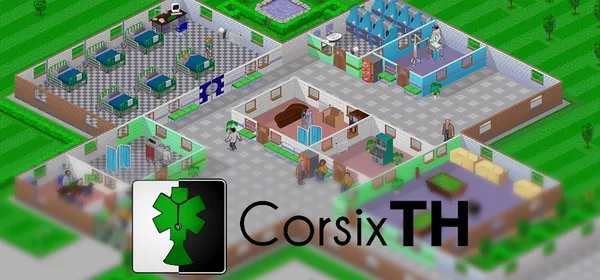
Theme Hospital on PC: CorsixTH
A reimplementation of Theme Hospital (Bullfrog, 1997) for modern systems, with high resolutions and improvements. The campaign can be completed. You need the original’s data.
What it is
CorsixTH is a reimplementation of Theme Hospital, the 1997 Bullfrog management sim. As well as faithfully recreating the original, it adds support for modern operating systems (Windows, macOS, Linux and BSD), high resolutions and much more. According to the project, most of the game’s features are available and you can complete the full campaign without issue.
It uses graphics, sound and other data from the original game, so you need a copy: the original CD or a download from GOG or EA. GigaROM hosts neither the engine nor the game; the download comes from the official page.
What you need
- Windows, Linux (AppImage, Flatpak or Snap) or macOS.
- Data from the original game: the Theme Hospital CD or a copy downloaded from GOG or EA.
How to install and run it
- Download the installer or AppImage from the official page (“Go to official project” button), or install it from Flathub or Snapcraft on Linux.
- Open CorsixTH and point it to the folder with your Theme Hospital data.
- Play the campaign or build your own hospitals; the project’s “getting started” page has more detail.
Current limitations
- It needs the original game’s data.
- The repository’s license is not a standard one: check the license file.
Port or emulator?
If your computer does not meet the requirements, you do not have the exact version the port asks for, or you prefer the classic route, you can play the original with a console emulator: see emulators and its install and setup guide.
Other ports

Dragon Ball Z: Budokai Tenkaichi 3 PC Port (native)
Native, playable port of Budokai Tenkaichi 3 (PS2, USA version) for Windows and Linux. It is not an emulator and you need your own original copy of th...

Jak and Daxter PC Port (OpenGOAL, native trilogy port)
OpenGOAL brings the PS2 Jak and Daxter trilogy to PC (Windows, Linux and macOS). Jak 1 is complete, Jak 2 is in beta and Jak 3 is in progress. You nee...

The Legend of Zelda: Twilight Princess PC Port (Dusklight)
Native reimplementation of Twilight Princess for PC and mobile, with higher resolution and frame rates, quality-of-life options and a mod system. You...