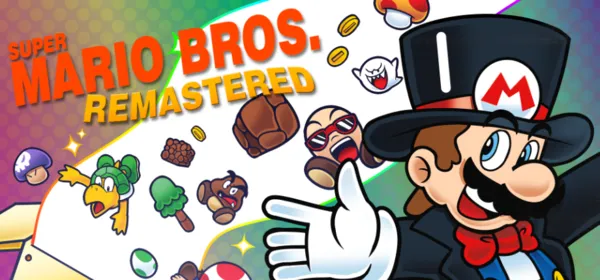
Super Mario Bros. Remastered on PC
An open-source remake of the original Super Mario Bros. games with new levels, custom modes, new characters and a full level editor. It requires an original SMB1 NES ROM.
What it is
Super Mario Bros. Remastered is a remake and celebration of the original Super Mario Bros. games. It features new levels, custom modes, new characters and a full level editor with a custom level system. It recreates Super Mario Bros., The Lost Levels, Super Mario Bros. Special and All Night Nippon: Super Mario Bros. from the ground up, with improved physics and level design, resource packs to change the look and sound, custom characters and a portable mode.
It requires an original SMB1 NES ROM to play; the source code contains none of the original assets, apart from what the team itself made. It does not replace the original games, which can be played on Nintendo Switch Online. There are builds for Windows and Linux, and an unofficial one for macOS. GigaROM hosts neither the game nor any ROM; the download comes from the official page.
What you need
- Windows or Linux (macOS with an unofficial build).
- An original Super Mario Bros. NES ROM, obtained from your own cartridge.
How to install and run it
- Go to the releases page (“Go to official project” button) and download the .zip for your system.
- Extract it and run it.
- Point it to your SMB1 ROM when the game asks and enjoy.
Current limitations
- It needs an original SMB1 ROM: it does not include the original game’s assets.
- It is not a replacement for the original games.
- The macOS build is unofficial.
Port or emulator?
If your computer does not meet the requirements, you do not have the exact version the port asks for, or you prefer the classic route, you can play the original with a console emulator: see emulators and its install and setup guide.
Other ports

Dragon Ball Z: Budokai Tenkaichi 3 PC Port (native)
Native, playable port of Budokai Tenkaichi 3 (PS2, USA version) for Windows and Linux. It is not an emulator and you need your own original copy of th...

Jak and Daxter PC Port (OpenGOAL, native trilogy port)
OpenGOAL brings the PS2 Jak and Daxter trilogy to PC (Windows, Linux and macOS). Jak 1 is complete, Jak 2 is in beta and Jak 3 is in progress. You nee...

The Legend of Zelda: Twilight Princess PC Port (Dusklight)
Native reimplementation of Twilight Princess for PC and mobile, with higher resolution and frame rates, quality-of-life options and a mod system. You...