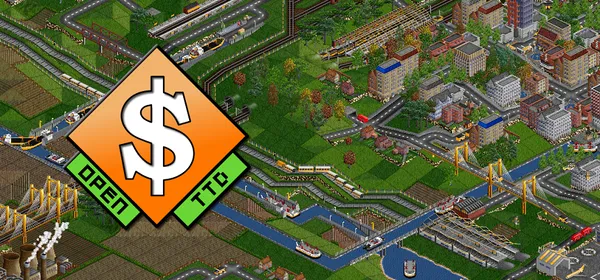
OpenTTD JGR Patch Pack on PC
A collection of features and modifications on top of OpenTTD, aimed at veteran players. It is a separate version installed alongside the standard game, not a loadable mod.
What it is
JGR’s Patchpack is a collection of features and other modifications applied to OpenTTD, the transport simulation game based on Chris Sawyer’s Transport Tycoon Deluxe. It is a separate version of the game that can be installed and played alongside the standard game, not a loadable mod (NewGRF, script, etc.). It is mainly intended for players who already know the standard game: it is not aimed at beginners, and some options are for very experienced players and have a steep learning curve.
The repository includes a changelog and a wiki with guides to some of the features. OpenTTD is licensed under GPL 2.0 and includes third-party software under other licenses. GigaROM does not host the game; the download comes from the official page.
What you need
- Windows, Linux or macOS.
- OpenTTD needs the graphics and sounds from Transport Tycoon Deluxe or the free assets the game itself provides (OpenGFX, OpenSFX, OpenMSX).
How to install and run it
- Download the build for your system from the official page (“Go to official project” button).
- Install it in a different folder from your standard OpenTTD.
- Open the Patchpack and check the wiki to learn the new features.
Current limitations
- It is not meant for beginners.
- The repository’s listed license is not a standard one: check the license file.
Port or emulator?
If your computer does not meet the requirements, you do not have the exact version the port asks for, or you prefer the classic route, you can play the original with a console emulator: see emulators and its install and setup guide.
Other ports

Dragon Ball Z: Budokai Tenkaichi 3 PC Port (native)
Native, playable port of Budokai Tenkaichi 3 (PS2, USA version) for Windows and Linux. It is not an emulator and you need your own original copy of th...

Jak and Daxter PC Port (OpenGOAL, native trilogy port)
OpenGOAL brings the PS2 Jak and Daxter trilogy to PC (Windows, Linux and macOS). Jak 1 is complete, Jak 2 is in beta and Jak 3 is in progress. You nee...

The Legend of Zelda: Twilight Princess PC Port (Dusklight)
Native reimplementation of Twilight Princess for PC and mobile, with higher resolution and frame rates, quality-of-life options and a mod system. You...