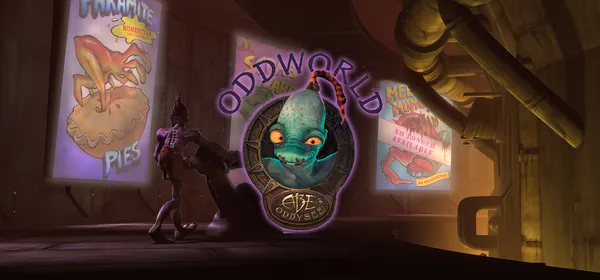
Oddworld: Abe's Oddysee on PC: R.E.L.I.V.E.
A free, open-source engine replacement for Oddworld: Abe’s Oddysee and Oddworld: Abe’s Exoddus. It aims to fix the originals’ bugs and, in time, provide a level editor. You need the data from your copy.
What it is
R.E.L.I.V.E. is a fan-made, open-source project that intends to become a fully compatible engine replacement for Oddworld Inhabitants’ first two games: Oddworld: Abe’s Oddysee and Oddworld: Abe’s Exoddus. Its goals include fixing the original games’ bugs and eventually providing a modding and level creation interface, as well as making it possible to study the engine or use it for new projects.
It includes shortcuts such as F5/F6 (quicksave and quickload, Exoddus only), F10 (screen filter), F11 (keep aspect ratio) and F12 (fullscreen). There are builds for Windows, Linux and macOS, and the latest published stable release is 1.1.0. You need the data from your copy of the games. GigaROM hosts neither the engine nor the games; the download comes from the official page.
What you need
- Windows, Linux or macOS.
- The data from your copy of Oddworld: Abe’s Oddysee and/or Abe’s Exoddus.
How to install and run it
- Download the latest stable release from the official page (“Go to official project” button).
- Point it to the folder with the data from your copy of the game.
- Open R.E.L.I.V.E. and choose the game.
Current limitations
- It needs the original games’ data.
- Some planned features, such as the level editor, are not available yet.
- The repository does not declare a standard license.
Port or emulator?
If your computer does not meet the requirements, you do not have the exact version the port asks for, or you prefer the classic route, you can play the original with a console emulator: see emulators and its install and setup guide.
Other ports

Dragon Ball Z: Budokai Tenkaichi 3 PC Port (native)
Native, playable port of Budokai Tenkaichi 3 (PS2, USA version) for Windows and Linux. It is not an emulator and you need your own original copy of th...

Jak and Daxter PC Port (OpenGOAL, native trilogy port)
OpenGOAL brings the PS2 Jak and Daxter trilogy to PC (Windows, Linux and macOS). Jak 1 is complete, Jak 2 is in beta and Jak 3 is in progress. You nee...

The Legend of Zelda: Twilight Princess PC Port (Dusklight)
Native reimplementation of Twilight Princess for PC and mobile, with higher resolution and frame rates, quality-of-life options and a mod system. You...