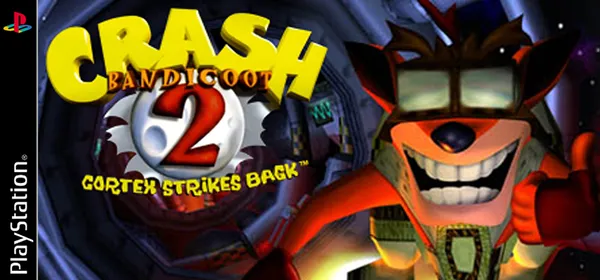
Crash Bandicoot 2: Cortex Strikes Back on PC: Crash2Recomp
Crash Bandicoot 2 from PlayStation translated to native code for Windows: a launcher takes your disc image and builds the game on your PC. It is a preview.
What it is
Crash Bandicoot 2 Recompiled is a non-commercial fan project that translates Crash Bandicoot 2: Cortex Strikes Back from PlayStation to native code and runs it directly rather than emulating it. A launcher takes the disc image you already own, builds the game on your machine and runs it. According to the author the game can be completed from start to finish, although minor sound and graphical issues remain.
The project distributes no game data and needs no PlayStation BIOS: it includes OpenBIOS, a free MIT-licensed replacement. GigaROM hosts neither the port nor the game; the download comes from the official page.
What you need
- 64-bit Windows, 10 or later.
- A disc image you own (
.cuewith its.bin, or.chd): the build targets the North American release, serial SCUS-94154. - About 3 GB free while building (roughly 100 MB once built).
How to install and run it
- Download the launcher from the official page (“Go to official project” button) and run it.
- In “Setup”, choose your disc image: it is checked for complete tracks and the correct serial.
- Press “Build the game”: it translates the game to C and compiles it (five to twenty minutes the first time).
- When it finishes, open the “Play” page. Settings apply on the next launch.
Current limitations
- It is work in progress: treat it as a preview and expect rough edges.
- North American release only.
- The repository states no license.
Port or emulator?
If your computer does not meet the requirements, you do not have the exact version the port asks for, or you prefer the classic route, you can play the original with a console emulator: see emulators and its install and setup guide.
Other ports

Dragon Ball Z: Budokai Tenkaichi 3 PC Port (native)
Native, playable port of Budokai Tenkaichi 3 (PS2, USA version) for Windows and Linux. It is not an emulator and you need your own original copy of th...

Jak and Daxter PC Port (OpenGOAL, native trilogy port)
OpenGOAL brings the PS2 Jak and Daxter trilogy to PC (Windows, Linux and macOS). Jak 1 is complete, Jak 2 is in beta and Jak 3 is in progress. You nee...

The Legend of Zelda: Twilight Princess PC Port (Dusklight)
Native reimplementation of Twilight Princess for PC and mobile, with higher resolution and frame rates, quality-of-life options and a mod system. You...