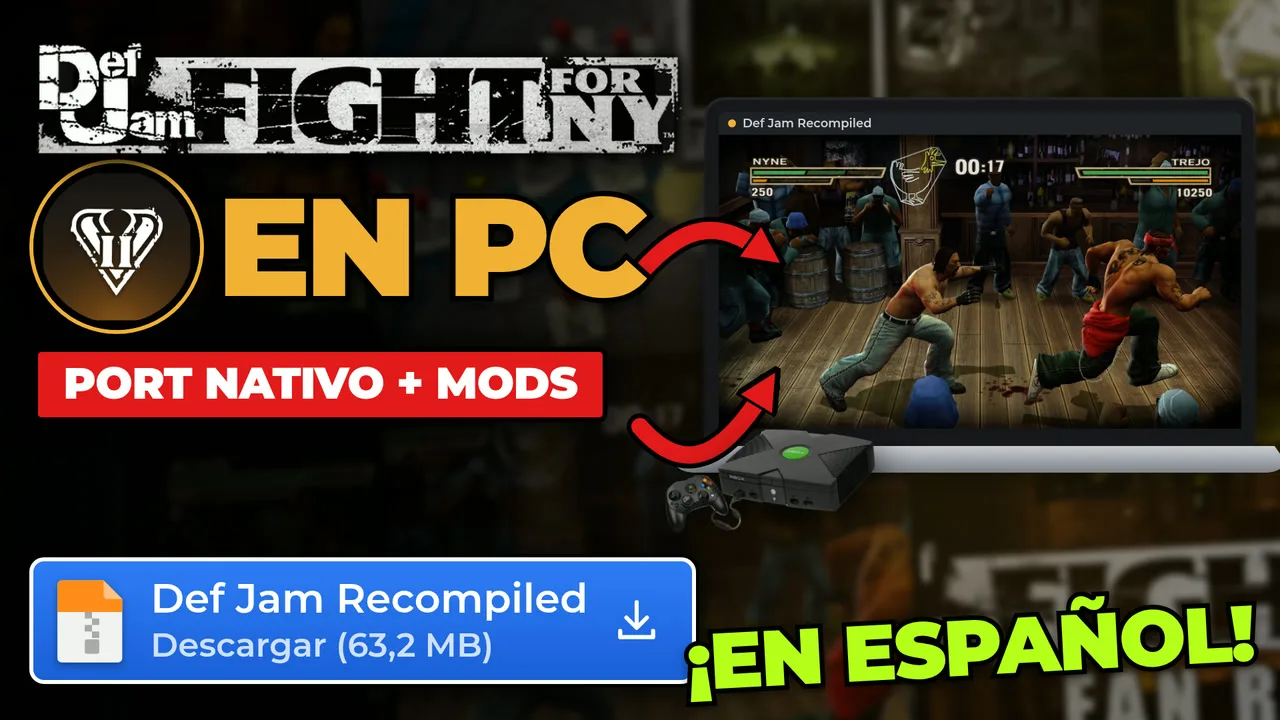

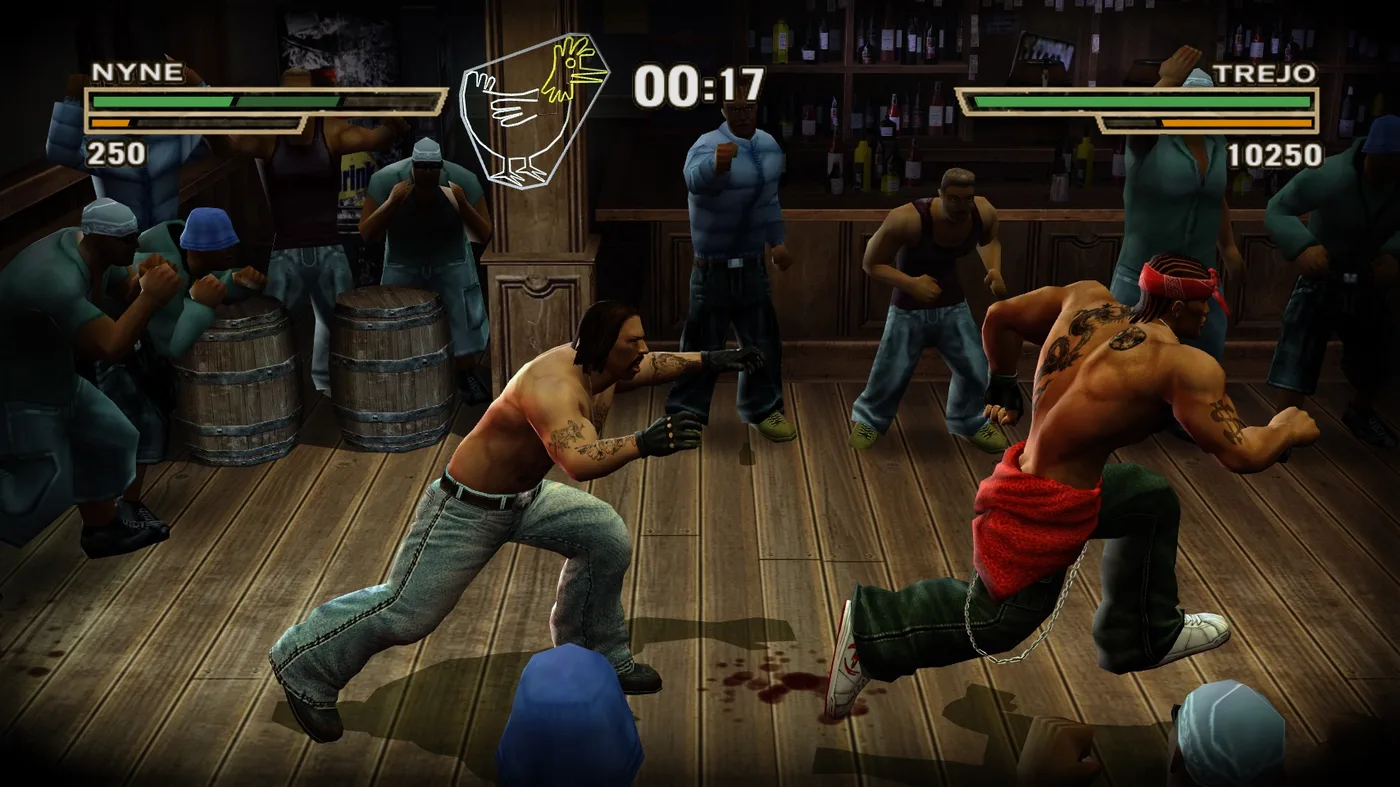
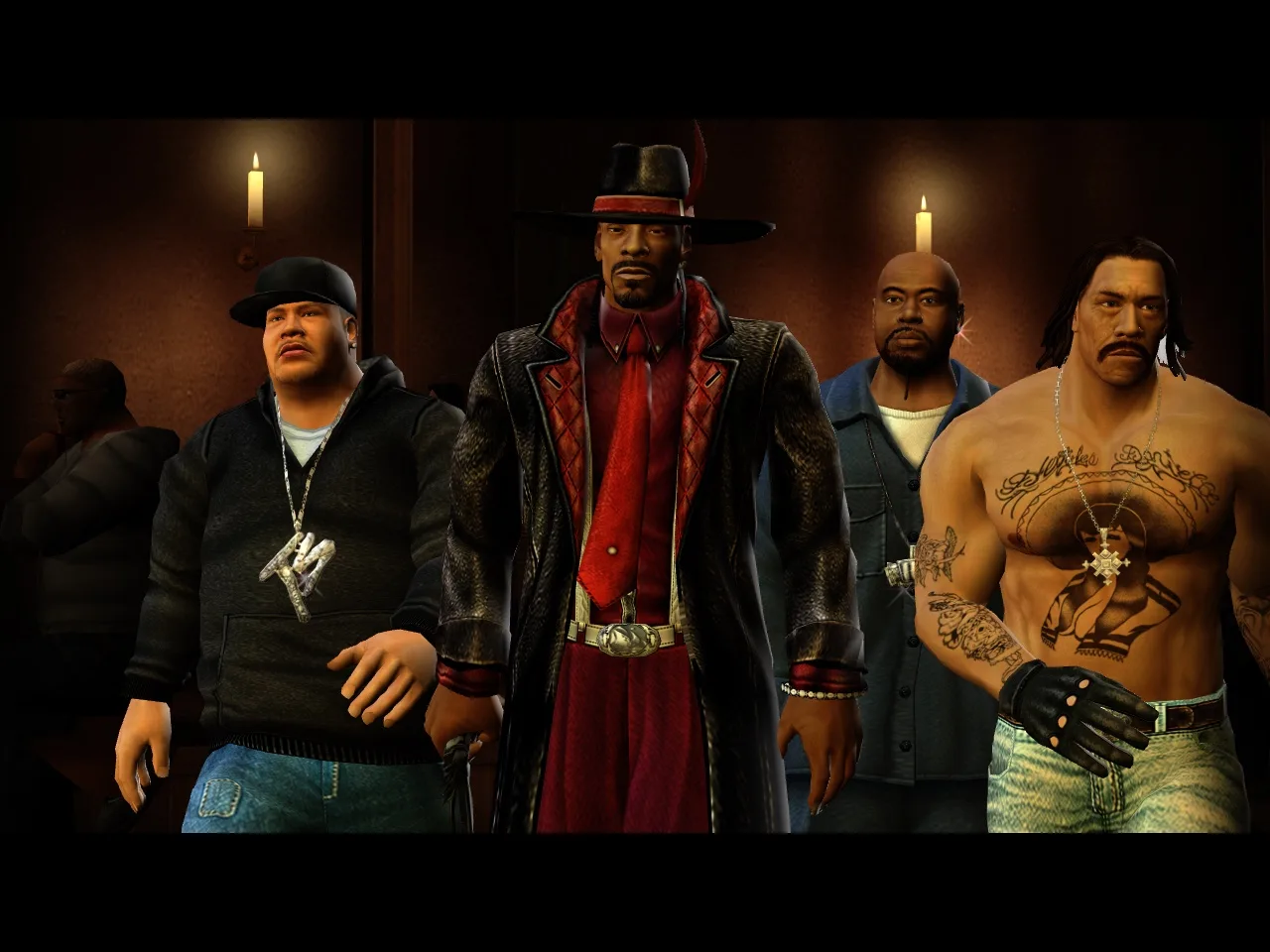
Snoop Dogg, Method Man, Busta Rhymes, Ludacris… and half of New York throwing punches. Def Jam: Fight for NY came out in 2004 and is still one of the best-loved fighting games of its era. Today you can play it natively on PC: no emulator, in widescreen, at 60 FPS, with HD textures, with your own music and even in Spanish. It is called Def Jam Recompiled, and in this guide I explain what it is, how it works and how to install and play it step by step.
Good news before we start: the project itself calls this the definitive port of the game. All game functionality works, and they keep optimizing and fixing things based on player reports.
What is Def Jam Recompiled?
Def Jam Recompiled is an unofficial native port of Def Jam: Fight for NY for Windows, Mac and Linux, including the Steam Deck. It recompiles the original Xbox game for your computer. It is maintained by vyanhursky, its code is open source under the MIT license and it lives on the official GitHub.
What you should know from the start:
- It does not include the game. No disc image, no game data, no translated code and no compiled executable. The app checks your copy and builds the game on your computer.
- It is a fan project, not affiliated with Electronic Arts, AKI or Def Jam. Def Jam: Fight for NY and its assets belong to their respective owners.
- The current stable version is v1.1.2, marked as Latest (November 14, 2026). There are also 1.2.0 betas, but they are pre-releases: for a worry-free game, stick with Latest.
A fun fact: the README says the author develops the port with help from Claude Code and Codex, and that it builds on xboxrecomp, sp00nz's toolchain, and on work from the Xbox emulation community, such as xemu.
How does it work? Emulator vs. static recompilation
Here it is in plain words.
An emulator translates while you play
An Xbox emulator imitates the whole console and translates the game in real time, while you play. It works, but it needs power and does not always run smoothly.
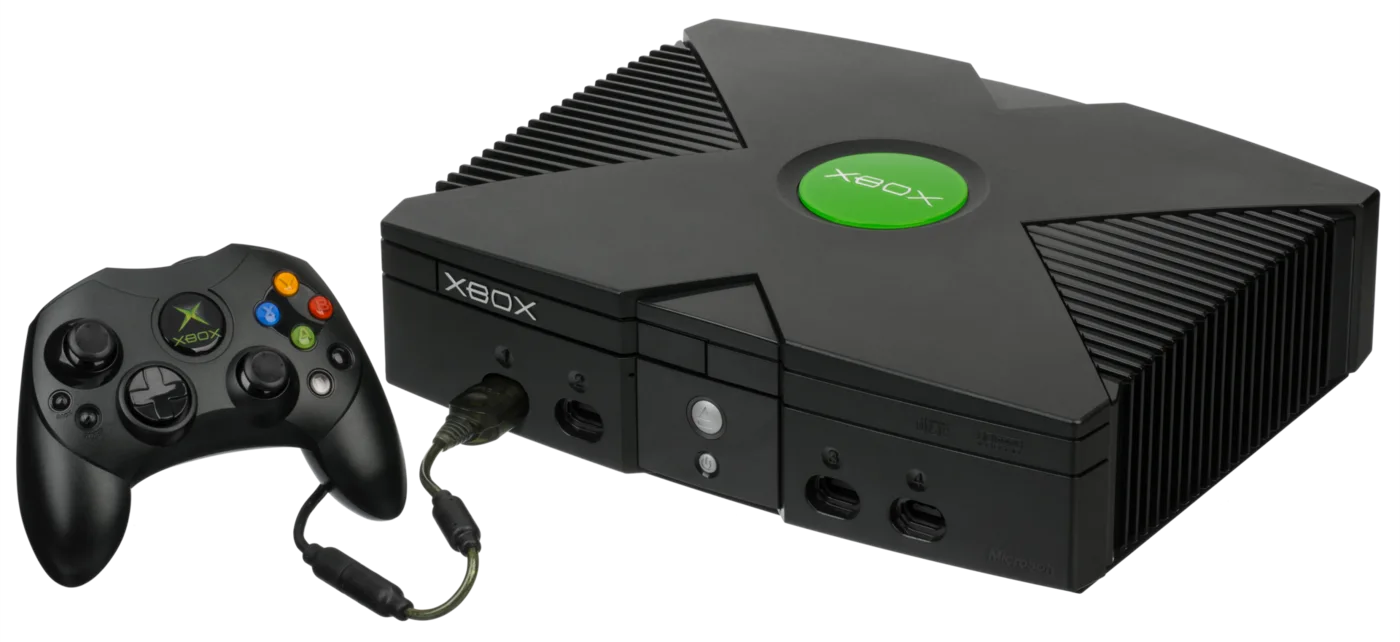
Def Jam Recompiled translates only once, at install time
Def Jam Recompiled uses xboxrecomp: it translates the Xbox executable into C code and compiles it before you play, on your computer. The game's code runs through an Xbox compatibility runtime, and your PC supplies the graphics, audio and input. It is a static recompilation; a full decompilation of the game remains future work.
What about the graphics?
On Windows it renders with Direct3D 11. On Apple Silicon Macs and on Linux (including the Steam Deck), with Vulkan.
Everything is built on your PC
The app does not download a ready-made game: it builds it from your copy, on your computer. Your original copy is not changed.
What Def Jam Recompiled offers
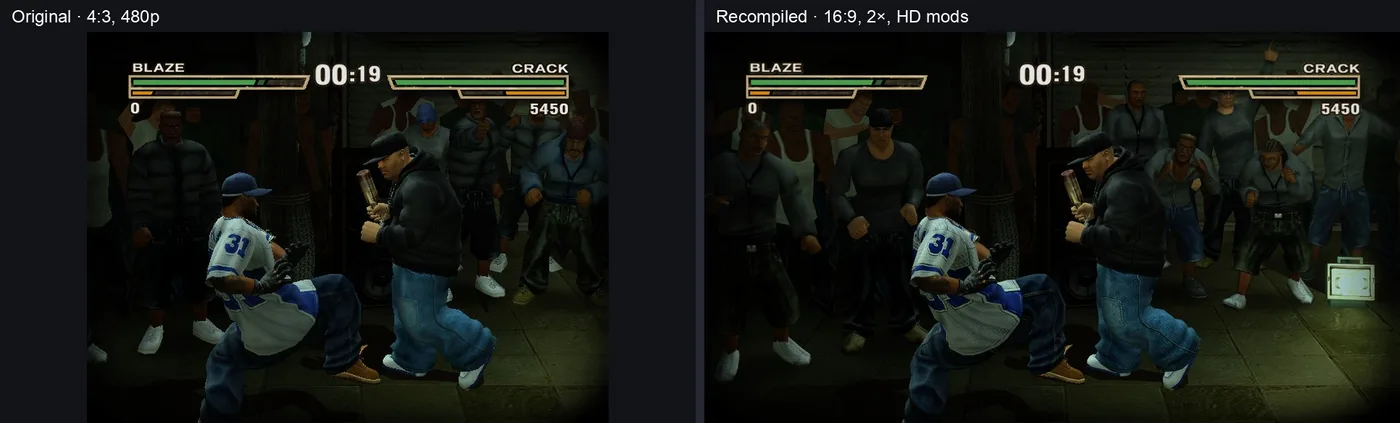
- 60 FPS and up to 4× internal resolution, in a window or borderless full screen. According to the project, the Steam Deck holds a steady 60 FPS at 2× with all HD texture mods.
- Widescreen: 16:9, 16:10 and ultrawide up to 32:9. With the HD Widescreen Menus mod, menus and backgrounds match too. The original 4:3 is one setting away.
- Play in your language: translation mods are supported. The first is ZARF's Spanish translation, in the mod catalogue, and the disc's own French is a setting.
- Mods: texture and language packs, with a reviewed catalogue inside the app. Custom fighters, stages and modes are on the roadmap.
- Your own music: add MP3, FLAC, Ogg or WAV songs and play them in the Beatbox, menus and fights. The cut song "Holler If Ya Hear Me" is restored too.
- Controllers and keyboard: Xbox, DualSense, Switch Pro and others, with remapping, hot-plug and rumble.
- One app for everything: setup, play, settings, controls, mods, updates, repair and uninstall. In game, F1 opens the settings.
- Cheat menu: infinite health, max Blazin', giant or tiny fighters, fighter swaps, and Story cash and development points.
- Add to Steam: on Windows, Linux and Steam Deck, a button beside Play puts the game in your Steam library, artwork included.
- Upscaled Original Textures: the app can generate 4× versions of the textures from your copy, on your PC, with no AI and no downloaded artwork.
- Up to 4 local players, with gamepads and a keyboard player.
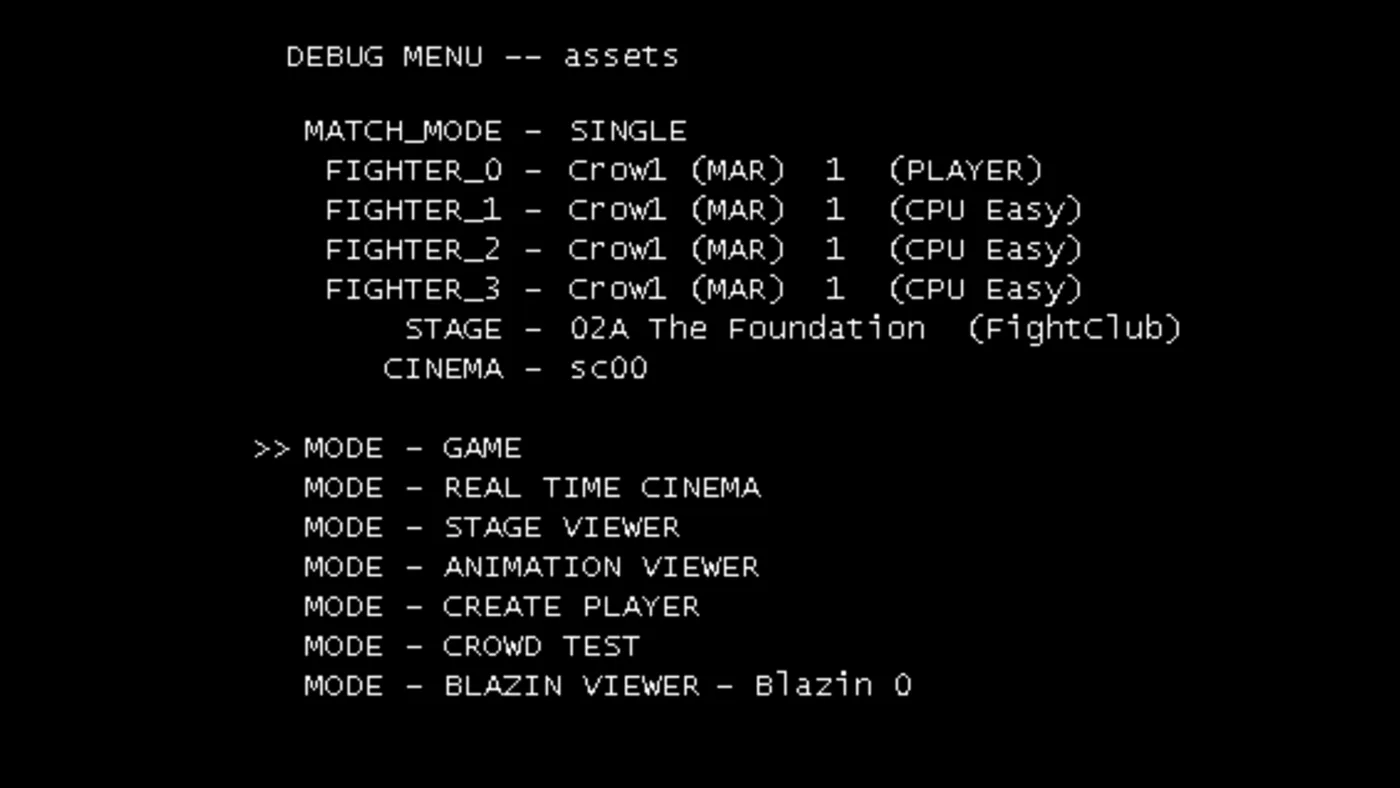
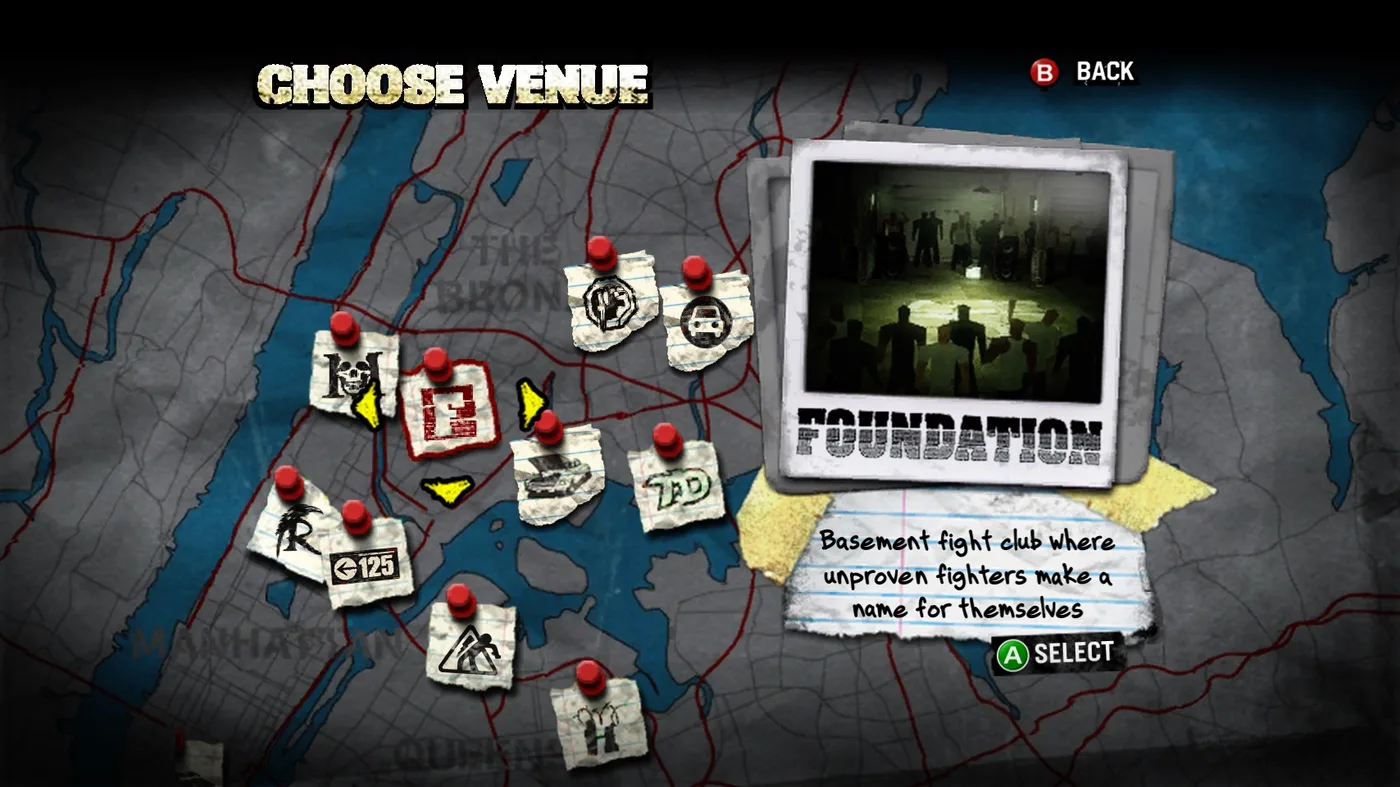
- EA's developer menu, restored: the debug menu hidden in the retail game. Set up any fight, play any Story scene or look at a venue.
Requirements to play Def Jam: Fight for NY on PC
| What | Requirement |
|---|---|
| The game | Your own copy of the USA Xbox version. Yes, yours. The one in your 2004 game case. Wink, wink 😉 As a disc image (ISO/XISO) or an extracted folder, matching the project's list of supported copies. PS2 and GameCube copies do not work. |
| System | 64-bit Windows, a Mac with Apple Silicon or x86-64 Linux, including the Steam Deck |
| Disk | About 12 GB of working space, plus the size of your copy and 1 GB. Upscaled Original Textures need up to 15 GB more. The app shows the exact figure before it starts |
| Tools | Windows: Microsoft's C++ Build Tools (if they are missing, the app offers to install them; a few GB). Mac: Apple's Command Line Tools. Linux and Steam Deck: nothing, the app carries its own |
How to dump your copy is outside the scope of this guide and of the project: neither Def Jam Recompiled nor I explain it.
How to install Def Jam: Fight for NY natively on PC, step by step
Everything happens in a single app, Def Jam Recompiled. These steps are for Windows; Mac, Linux and Steam Deck are covered at the end.
Step 1: download the app from the official GitHub
Go to vyanhursky's GitHub → Releases → version v1.1.2 (Latest), not the betas. Download DefJamRecompiled-1.1.2-windows-x64.exe (63.2 MB). Each file comes with a .sha256 checksum beside it so you can check the download.
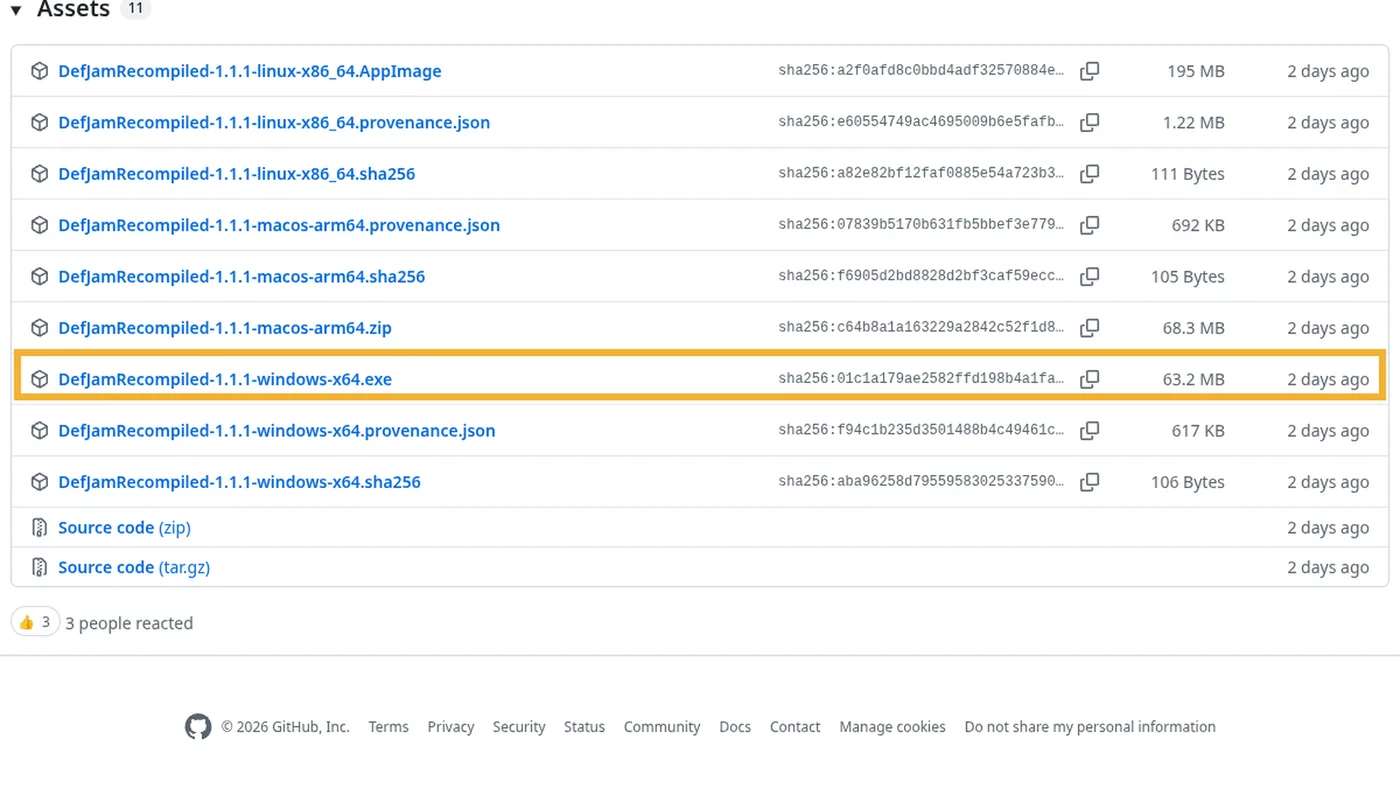
windows-x64.exe file in the Assets (screenshot from v1.1.1; in v1.1.2 only the number changes).Step 2: open it for the first time
The app is not code-signed yet, so Windows may ask. If SmartScreen appears, click More info → Run anyway (the official guide says so; only do it if you downloaded it from the official GitHub). Then choose where to keep the app: the default is %LOCALAPPDATA%\Programs\DefJamRecompiled. Nothing is added to the Start menu or the desktop: to open it again, open that file or use Add to Steam.
Step 3: choose your game copy
The first time, the app walks you through three short steps. In the first one, click Choose disc image or Choose extracted folder. Your files stay on your computer and your original copy is not touched. Installed it with the older setup? Use Use an existing installation and you keep your saves, settings and mods.
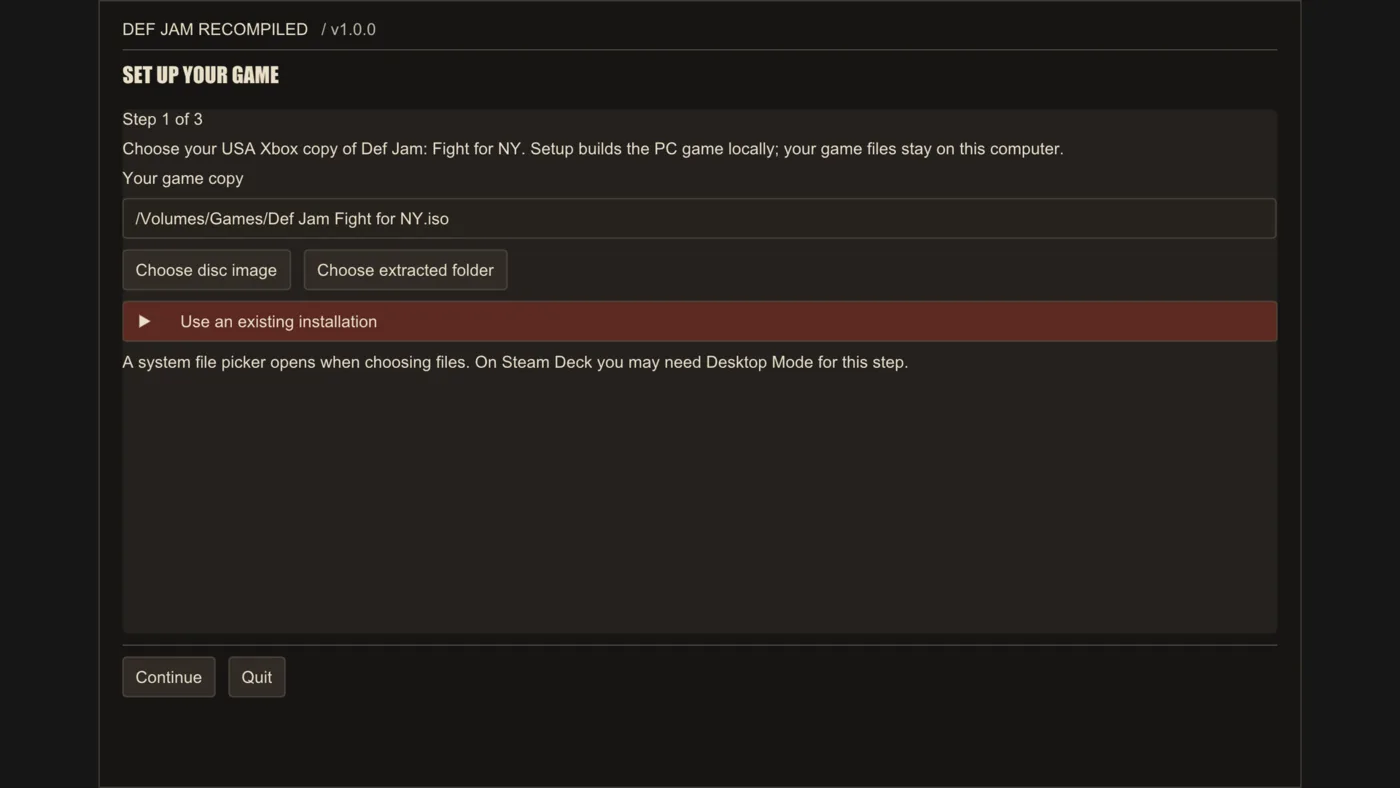
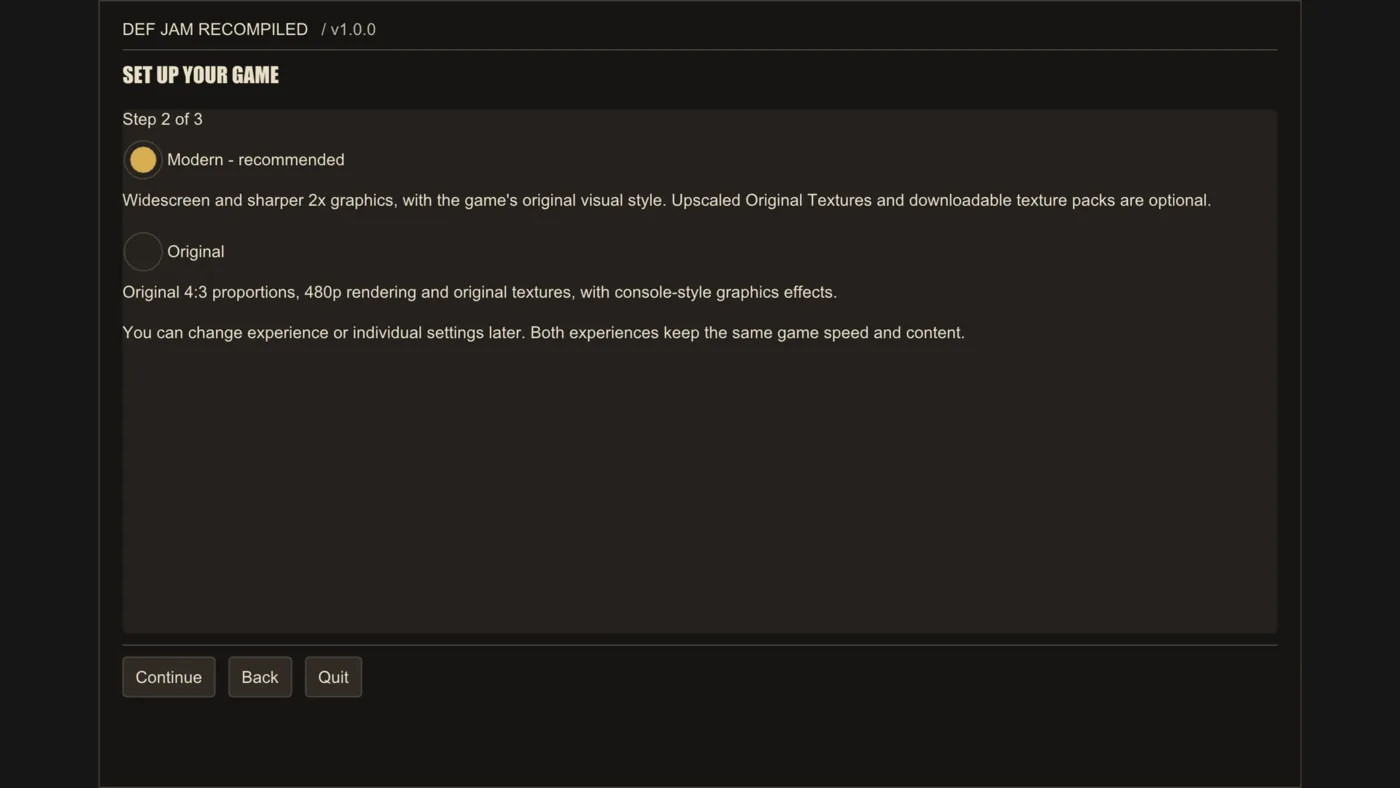
Step 4: choose the experience, Modern or Original
| Modern (recommended) | Original | |
|---|---|---|
| Picture shape | Widescreen, matching your screen | 4:3 |
| Render resolution | 2× (960p) | 1× (480p) |
| Anti-aliasing | MSAA 2× | MSAA 2× |
| Anisotropic filtering | 16× | Off |
Both keep the same game speed and content, and you can change your mind later.
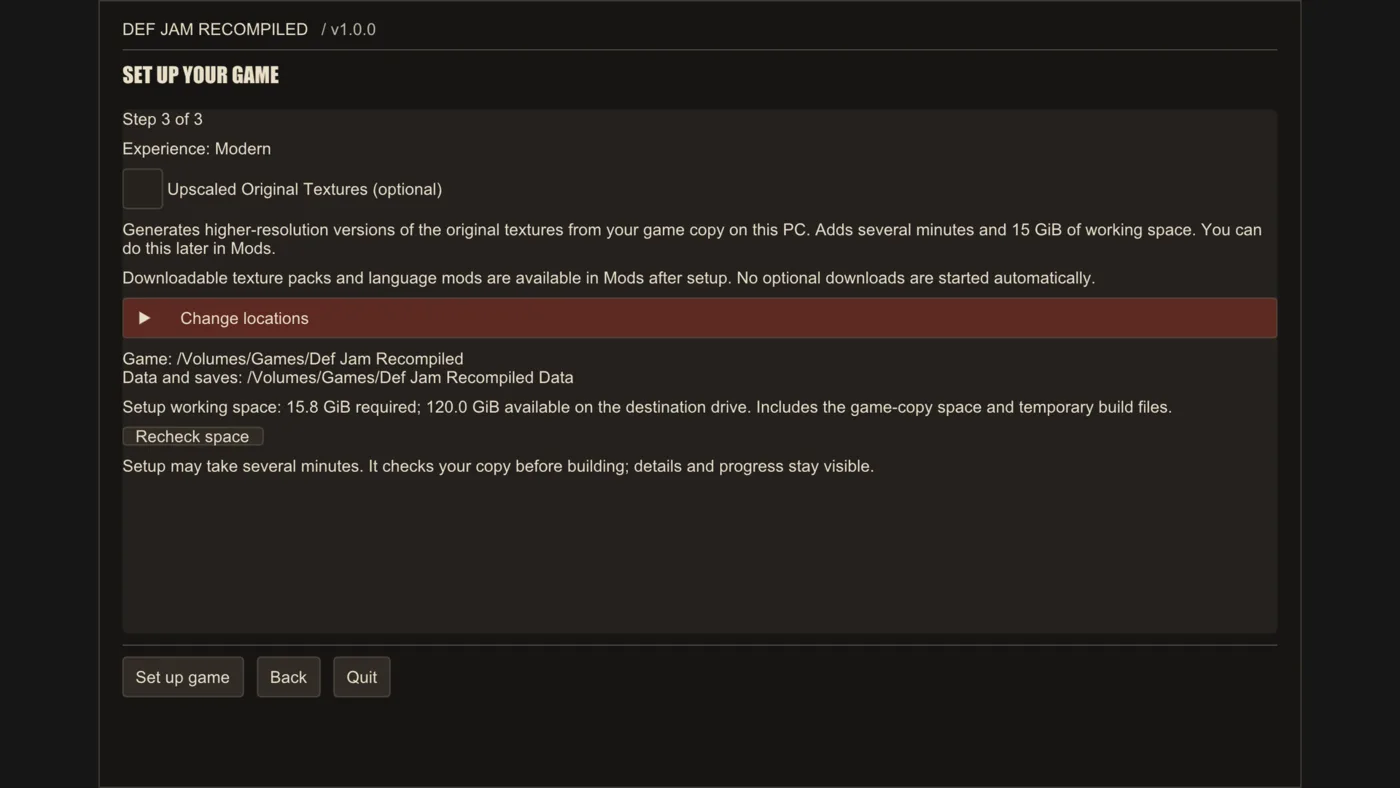
Step 5: review and click Set up game
- Upscaled Original Textures are optional: they generate the improved textures from your copy. They add a few minutes, and you can do it later from Mods.
- Change locations lets you change where the game and your data go.
- Free space is checked here. If there is not enough, free some up or change locations and click Recheck space.
- On Windows, if the Build Tools are missing, a checkbox offers to install them first.
When you are ready, click Set up game.
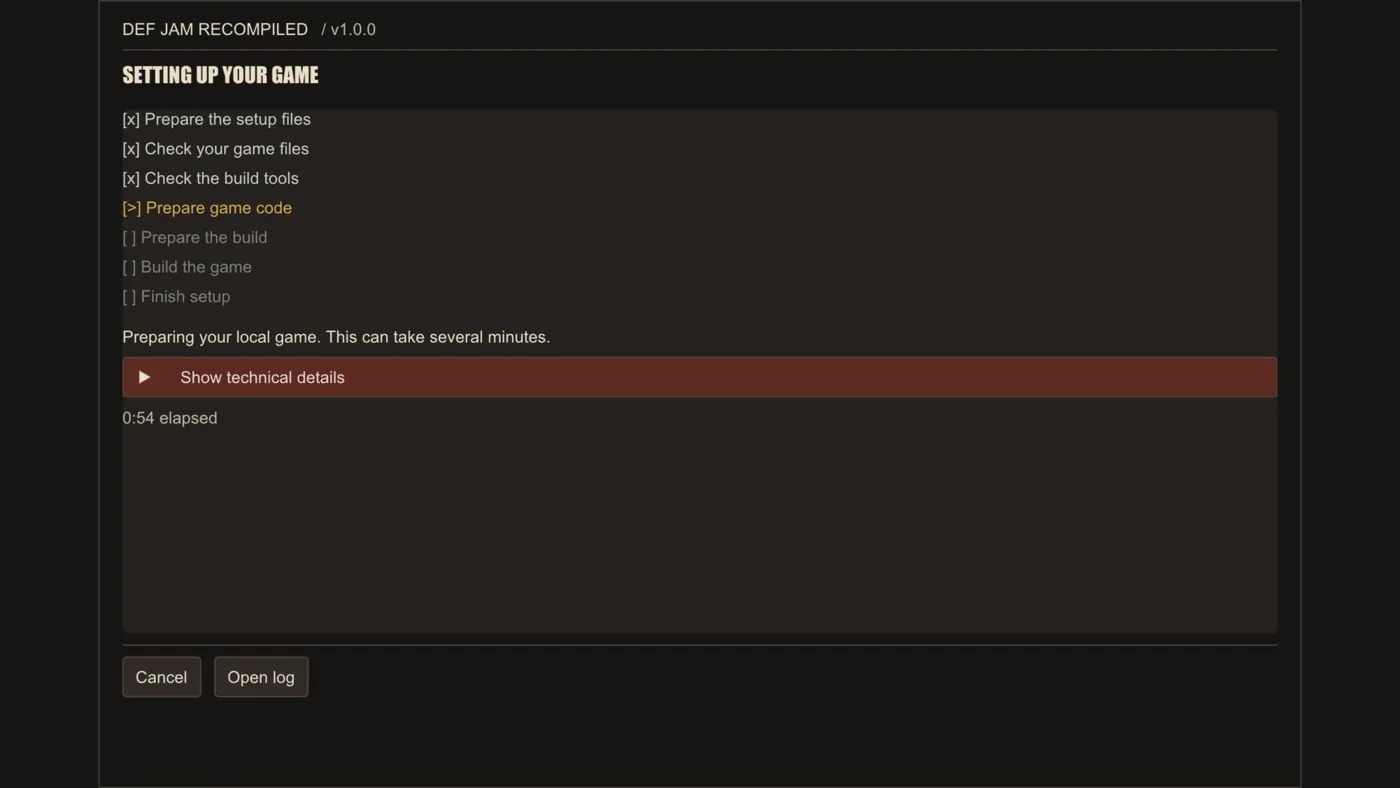
Step 6: wait while it builds
The app ticks off its stages: it prepares the files, checks your copy, prepares the code and builds the game. It takes several minutes; on a Steam Deck with Upscaled Original Textures, about 15 minutes (keep it plugged in and awake). If you cancel, it picks up where it left off next time.
Step 7: click Play
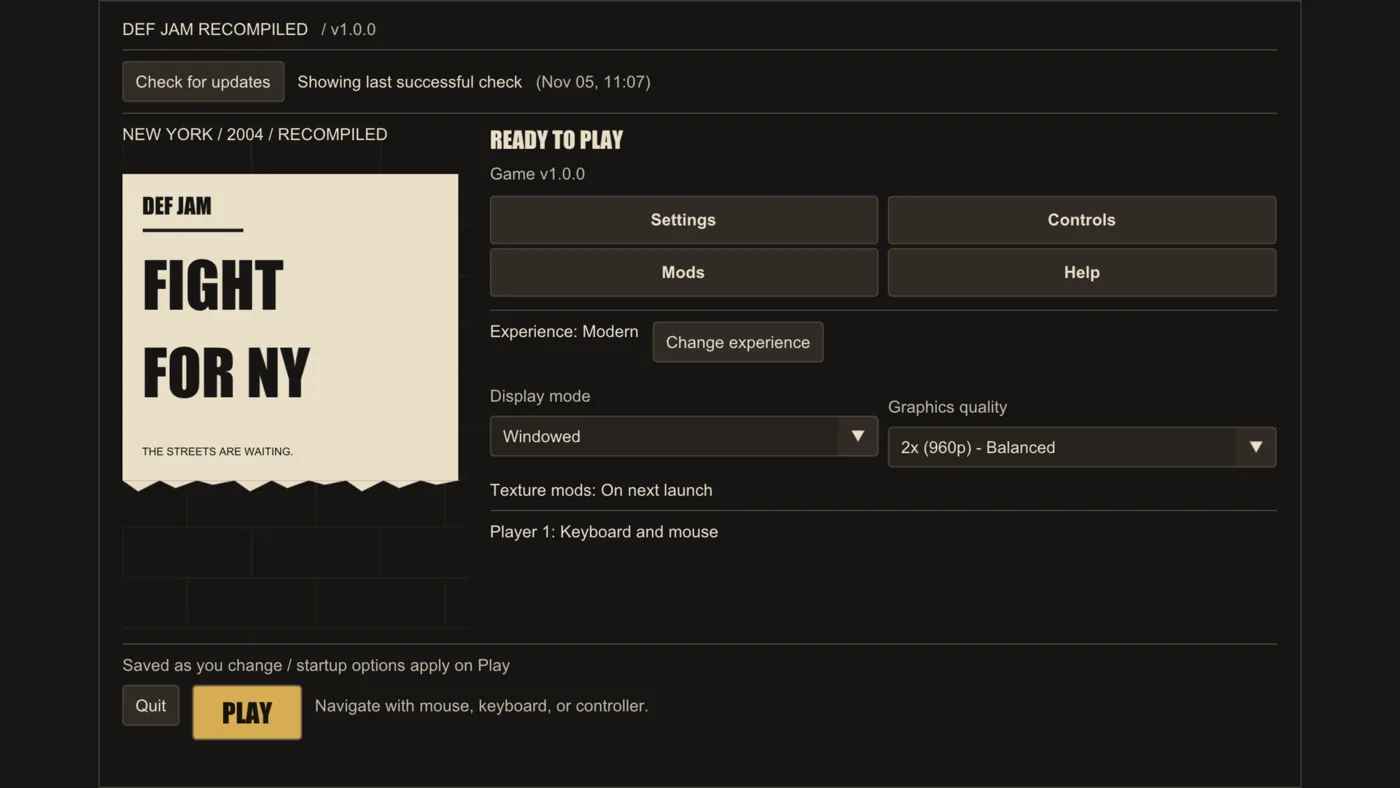
When it finishes, the app tells you the installed version and offers Play. From now on it opens on Home, with Settings, Controls, Mods and Help. Texture packs and language mods are in Mods, and nothing downloads by itself.
Want it in Spanish or French?
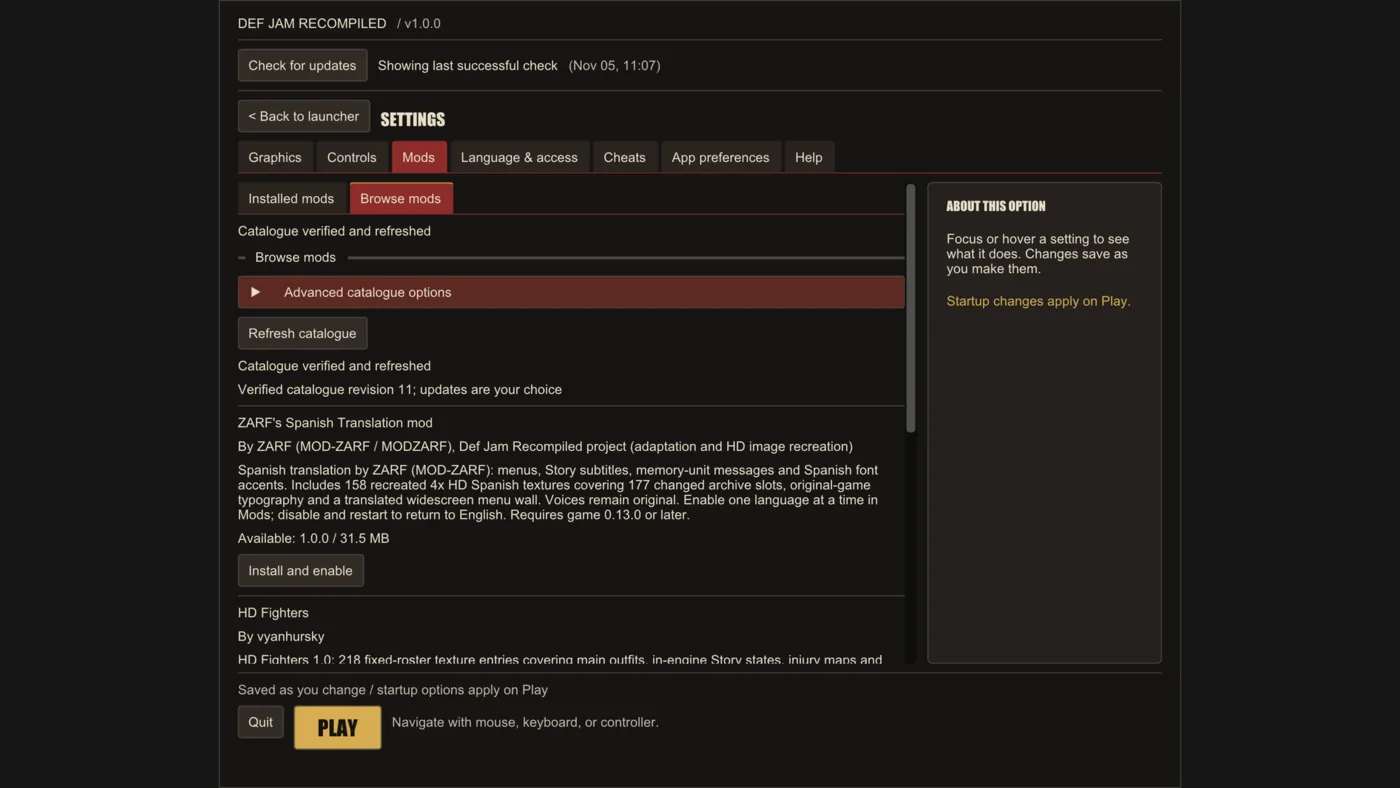
For Spanish, go to Mods → Browse mods, find "ZARF's Spanish Translation mod" and click Install and enable. It translates menus, Story subtitles and messages, with Spanish textures recreated in HD; the voices stay in English. Only one language can be active at a time: to go back to English, disable it and restart. French comes from the disc itself and is a setting.
What about Mac, Linux or Steam Deck?
- Mac (Apple Silicon): unzip
DefJamRecompiled-1.1.2-macos-arm64.zipand open the app. The first time macOS blocks it: choose Done (not Move to Trash), go to System Settings → Privacy & Security and click Open Anyway beside the message. - Linux and Steam Deck: download
DefJamRecompiled-1.1.2-linux-x86_64.AppImageand make it executable. On the Steam Deck, in Desktop Mode: right-click → Properties → Permissions → Allow executing file as program. Then, with Add to Steam, you can start it from Gaming Mode.
How to update Def Jam Recompiled
The app checks GitHub for a newer stable release (at most every 12 hours), and Check for updates checks right away. Betas are never offered. When your game is older than the app, click Update game: it is built again from your copy in about 3 to 10 minutes, and you keep your saves, settings and mods.
Common problems and how to fix them
These fixes come from the official install guide, troubleshooting page and release notes.
It does not recognize your copy
It must be the USA Xbox version matching the project's list of supported copies. PS2 and GameCube copies do not work.
Not enough space
Free some up or change the location with Change locations, then click Recheck space.
Setup stops
The app tells you why and offers Try again, Change setup options and Open log. If you already had the game installed, it stays unchanged and playable.
Windows: "Access is denied" when updating
An old shortcut can leave the old launcher running. Close the app and any DefJamLauncher.exe still running in the background, open DefJamRecompiled.exe directly and choose Repair / Update game.
Windows: the game closes immediately
If your data folder path has accents or non-Latin letters (for example, a Windows user called "José"), versions before 1.2.0-beta.3 cannot open the save folder and close. It is fixed in the 1.2.0 beta; meanwhile, on the stable version, use Change locations to put your data on a path without accents.
The game closed by itself
When the game refuses to start or stops, it shows a message and writes it to last-error.txt in the data folder. The app shows it on Home the next time you open it.
Something broke
In Help, use Repair or rebuild…: Repair checks the files and rebuilds what is missing, and Rebuild builds everything from scratch. Your saves and settings are kept.
Frequently asked questions about Def Jam: Fight for NY on PC
Is Def Jam Recompiled legal?
The project's code is open source (MIT) and contains nothing from the game: no image, no data and no executable. The license grants no rights to the game, and you must provide your own copy. What is allowed when dumping it depends on your country and is your responsibility. I am not a lawyer: check the laws where you live.
Does my PS2 or GameCube copy work?
No. Only the USA Xbox version.
Can I play it in Spanish?
Yes, with ZARF's Spanish translation, in the app's mod catalogue. French is available as a setting.
Does it have online play?
No. Multiplayer is local, up to 4 players.
Does it work on Steam Deck?
Yes, with the Linux version, which runs natively. The project has automated tests and the maintainer plays on the Deck. Proton is untested.
Does it go above 60 FPS?
Not yet. Going above 60 FPS without changing the game speed is on the roadmap, but not in the current release.
Is it an emulator?
No. The game's code is translated to C and compiled before you play. If you would rather emulate, GigaROM has Xbox emulators, the Def Jam port page and more native PC ports.
Conclusion
Seeing Def Jam: Fight for NY natively on PC, in widescreen, at 60 FPS, with your music in the Beatbox and even in Spanish, is the best thing that could happen to this classic. And with one app for everything, it installs without hassle. If you try it, tell me who you always picked.
If you like guides about native PC ports, subscribe to my YouTube channel: I cover them as they come out.
Official links and credits
- Official GitHub: github.com/vyanhursky/DefJamFFNY-recomp
- Version used: v1.1.2
- Project website: vyanhursky.github.io/DefJamFFNY-recomp
- Credits: vyanhursky (Def Jam Recompiled and official screenshots), sp00nz (xboxrecomp), ZARF (Spanish translation), Electronic Arts and AKI (original game) and Evan-Amos (Xbox photo, public domain).
Disclaimer: Def Jam Recompiled is an unofficial fan project, not affiliated with Electronic Arts, AKI or Def Jam. Def Jam: Fight for NY and its assets belong to their respective owners. GigaROM does not host the game or any game files, and this guide does not explain how to obtain them.