
What Is AltStore?
AltStore is an alternative app marketplace for iOS devices. It lets you install unofficial apps Apple usually blocks. Unlike other sideloading tools, AltStore does not require a jailbreak. It uses Apple’s own developer features to sign and refresh apps on your device.
This method makes AltStore safer and more stable. You can install apps, update them easily, and enjoy complete control over your experience. The platform works on iPhone, iPad, and iPod Touch.
Why AltStore Is Popular Among Gamers
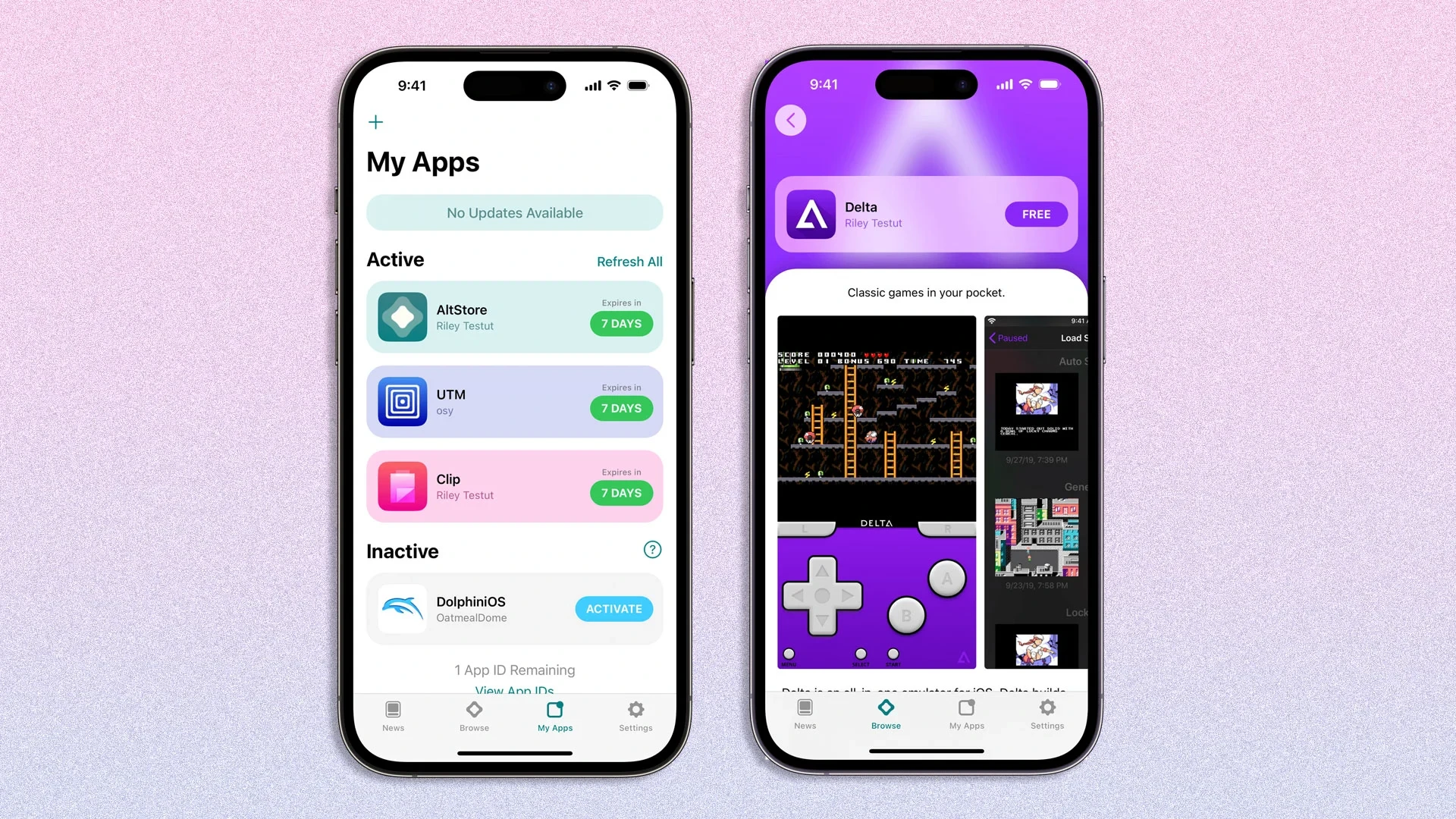
One of the biggest attractions of AltStore is its support for Nintendo emulators. The most famous option is Delta Emulator, created by Riley Testut. Delta lets you play games from multiple consoles. This includes:
-
NES
-
SNES
-
Game Boy
-
Game Boy Advance
-
Nintendo 64
-
Nintendo DS
With AltStore, you can install Delta in seconds. You avoid searching for risky downloads. Everything comes directly from the official developer.
How to Download AltStore on Your Device
Installing AltStore is simple. Follow these steps to start using it today.
Step 1: Install AltServer on Your Computer
AltStore works through a companion tool called AltServer. You need to download AltServer on your Windows PC or Mac. This software lets your iPhone or iPad receive new apps safely.
After downloading, launch AltServer and keep it running. You also need iTunes and iCloud installed for proper connection.
Step 2: Connect Your iPhone or iPad
Use a USB cable to connect your device to your computer. After the connection, unlock your device and trust the computer when prompted. This allows AltServer to communicate with your phone.
Step 3: Install AltStore on iOS
On your computer, open the AltServer menu and choose “Install AltStore.” Select your device from the list. AltServer will install the app directly onto your iPhone.
Once the process finishes, find AltStore on your home screen. Before opening it, visit Settings > General > Device Management and trust the developer profile.
Step 4: Keep AltStore Active
AltStore needs to refresh apps every seven days with a free Apple ID. Make sure your computer and AltServer are available at least once a week. If you use the same Wi-Fi network, automatic refreshing is easier.
How to Install a Nintendo Emulator with AltStore
AltStore supports several apps, but the most popular choice is Delta. Here is how to install it:
1. Open AltStore
Launch the app on your device. You will see a simple interface with recommended apps.
2. Select Delta Emulator
Tap Delta to see the details and press Install. The installation will begin immediately. Once installed, Delta appears on your home screen.
3. Add Your ROMs
Delta does not include games. You need to import your own ROM files. You can add them through:
-
iCloud Drive
-
Files app
-
Direct imports
After adding a ROM, Delta organizes it with cover art and saves your progress automatically.
Key Features of AltStore
AltStore includes several features that make it one of the best sideloading options available.
-
It does not require jailbreaking.
-
It uses your Apple ID for safe app signing.
-
It refreshes apps automatically, so they never expire.
-
It works with powerful apps like Delta, Clip, and more.
-
It allows easy updates through the AltStore interface.
These features help users enjoy advanced apps without compromising security.
Is AltStore Safe to Use?
Yes. AltStore is considered safe when installed from the official website. It does not modify your system or break iOS security. It relies on Apple’s own signing system, which makes it more stable than other alternatives.
You should avoid unofficial versions of AltStore. They may contain harmful files or outdated code. Always download from trusted sources.
Benefits of Using AltStore Instead of Jailbreaking
Many users want extra features on iOS without risking their device. Jailbreaking voids warranties and reduces security. AltStore offers similar freedom without those drawbacks.
You can install advanced apps, enjoy emulators, and personalize your device. It also avoids many of the technical issues jailbreak tools usually create.
Final Thoughts
AltStore has become one of the most innovative tools in the iOS ecosystem. It provides a stable and secure option for installing apps that Apple normally blocks. With support for powerful tools like the Delta emulator, it opens the door to classic Nintendo gaming on your iPhone.
If you want freedom, flexibility, and safe sideloading, AltStore is the perfect solution. Download it today and enjoy a new experience on your iOS device.